


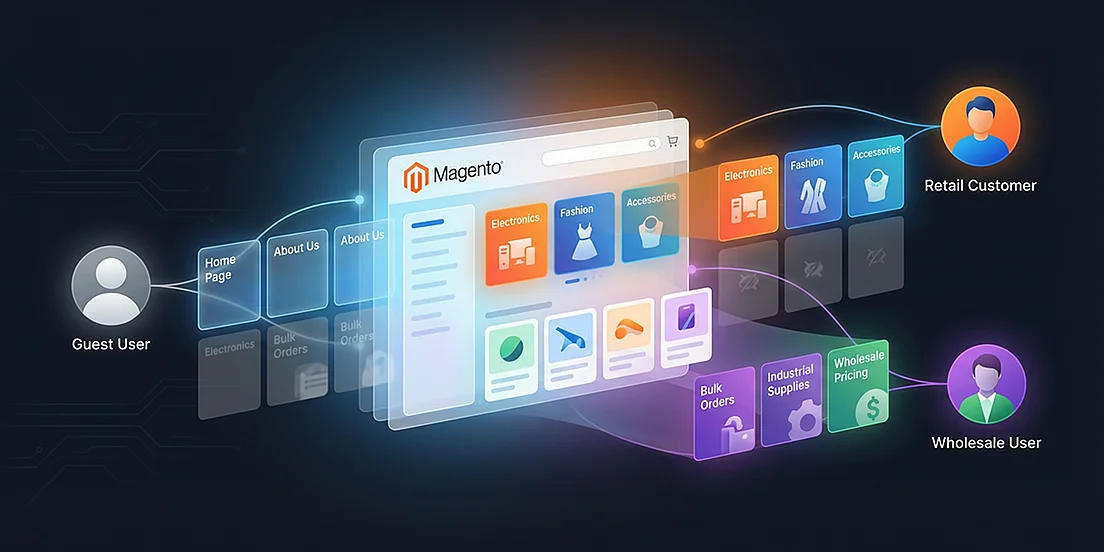
Not every category in your Magento store needs to be visible to everyone.
If your company sells through wholesale customers, distributors, has a logged-in user base, or has some other type of restricted access to users, displaying every category to each visitor can create confusion very quickly. Guest users end up seeing categories they can’t buy from, retail users see wholesale-only catalogs, and navigation becomes unnecessarily crowded.
This is exactly the problem the Category Restriction by Customer Group for Magento 2 extension by PIT Solutions is designed to solve.
What is Magento 2 Category Restriction by Customer Group?
Magento 2 doesn’t really give you much flexibility when it comes to category visibility. By default, a category is either enabled for everyone, including guest users or disabled entirely. There’s no middle ground where you can say, “show this only to wholesalers” or “hide this from retail customers.” And in real-world stores, that limitation shows up quickly. Maybe you have wholesale categories that shouldn’t be visible to guests, or sections that should unlock only after login. If you’re running both B2B and B2C under the same installation, you probably don’t want retail buyers browsing through distributor-only catalogs. Sometimes there are even internal or special-purpose categories that simply shouldn’t appear on the storefront at all. Instead of rebuilding your catalog structure or creating duplicate categories just to manage visibility, this Magento 2 extension gives you a straightforward way to control who sees what - without complicating your setup.
Why Category Restriction is Important in Magento Stores
At its core, this extension gives you control over who gets to see which categories on the storefront. Instead of showing the entire catalog to everyone, you can decide visibility based on customer groups. Once it’s set up, restricted categories will disappear from the frontend - they won’t show up in the main menu, in category pages, and won’t appear in layered navigation filters. Even direct links can be managed depending on how you configure it. For customers who aren’t part of the permitted group, those categories simply aren’t there. The browsing experience feels clean and intentional, without exposing sections that aren’t meant for them.
How to Configure Category Restrictions in Magento 2
All configuration is handled directly from the Magento Admin Panel, without custom code or overrides.
Step 1: Open Category Settings
Navigate to:
Admin -> Catalog -> Categories
Select the category you want to restrict.
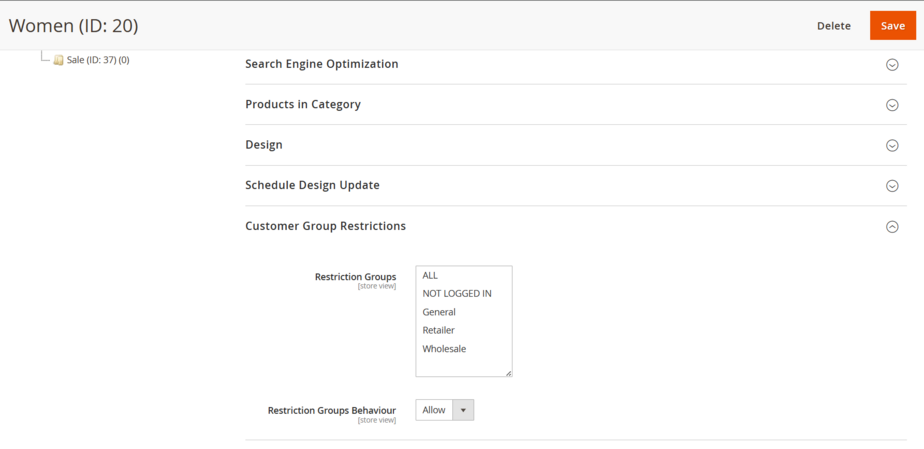
Step 2: Assign Allowed Customer Groups
Inside the category configuration, you’ll find an option to select customer groups that are allowed to view this category.
You can:
-
Allow only logged-in users
-
Allow specific customer groups (Wholesale, Retailer, VIP, etc.)
-
Exclude guest users entirely
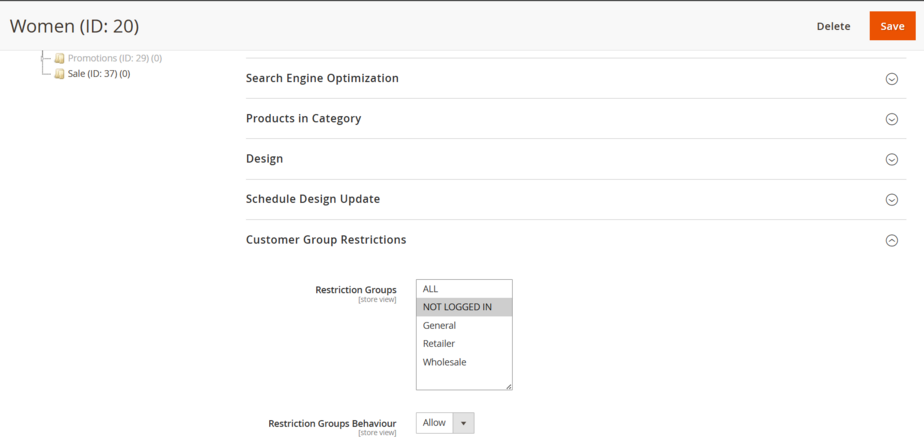
Step 3: Save and Test on Frontend
Once saved, the category visibility updates immediately on the storefront.
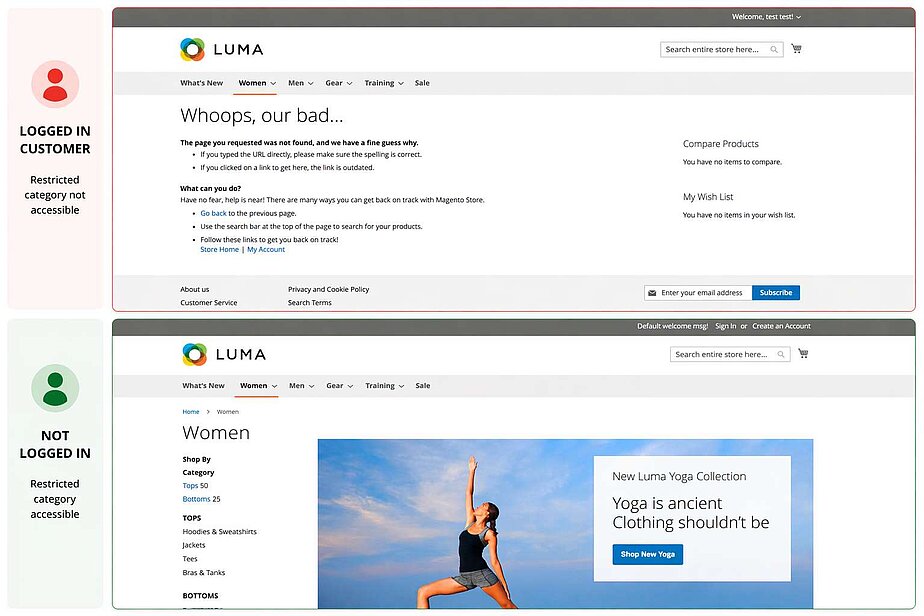
Users who do not belong to the selected groups:
-
Will not see the category in navigation
-
Will not find it through browsing
-
Will not access it accidentally
How Category Restriction Extension Works
This extension focuses on frontend cleanliness.
When a category is restricted:
-
It disappears from the top menu
-
It’s removed from category trees
-
It does not clutter breadcrumbs or navigation paths
This keeps the storefront clean, intentional, and based on a user's role; it is particularly beneficial for stores selling to both B2B as well as B2C.
Benefits for B2B and B2C Stores
This extension will fit in with normal day-to-day real-world use cases of Magento. Not every visitor has to be able to see the same catalog as someone else. If you have a B2B store, are managing various customer roles, offering only member collections, or having wholesale or distributor pricing structures, you can use this extension to provide different catalogs to different users without having to apply a redesign of your current store structure. Because it utilizes the existing Magento 2 customer group system, there is no need for additional complicated setups or completely different ways of thinking about how to make use of your customer group. If you are familiar enough with Magento’s customer groups to know how to make use of them, you know how to utilize this extension.
A Quick Note for Adobe Commerce Users
Those using Adobe Commerce most likely are aware of the fact that it has a built in Catalog Permissions tool that makes it easy to restrict category visibility by customer group without needing to install any additional extensions or modules.
When it comes to using Magento Open Source, the default installation does not offer any type of built-in restriction for ending category visibility. This extension offers the missing functionality so an Open Source store can provide their customers with the same level of category visibility restrictions available in Adobe Commerce but does so in a simpler to use, more straightforward way!
Why Choose PIT Solutions Magento Extensions
If your Magento 2 store serves more than one type of customer, hiding categories on the frontend is not optional - it’s necessary.
This Magento 2 category restriction by customer group extension gives you precise control over who sees what, without hacks or workarounds. It keeps your storefront focused, your navigation clean, and your catalog relevant to each customer type.
Simple idea. Big impact.
If you’d like to know more about our extension or to purchase, you can check it here: Category Restriction based on Customer Group Extension for Magento 2
Looking for more advanced functionality or tailored solutions? Explore our Magento development services to build features specific to your business needs.