


Odoo 19 Website Performance Optimization is essential for eCommerce businesses that want to deliver a fast, responsive and reliable shopping experience. Website performance can influence user experience, engagement, search visibility and conversions. Customers expect product pages, search results, carts, and checkout pages to respond quickly-especially when browsing from mobile devices.
Odoo 19 provides an integrated platform for building websites and eCommerce stores, connecting website, products, inventory, sales, payments, and customer management. However, simply using Odoo 19 does not automatically guarantee a fast website. The performance of an individual store depends heavily on its theme, customizations, database operations, integrations, hosting environment, and the amount of content delivered to the browser. For businesses planning an Odoo ERP implementation, performance should be considered alongside functionality and scalability.
This guide explores practical ways to improve Odoo 19 website performance and build a faster, more scalable eCommerce platform. At PIT Solutions, we help businesses with Odoo 19 Website Performance Optimization to improve efficiency, reliability, and long-term growth.
Why Odoo 19 Website Performance Matters for eCommerce
Website speed directly influences how customers interact with an online store.
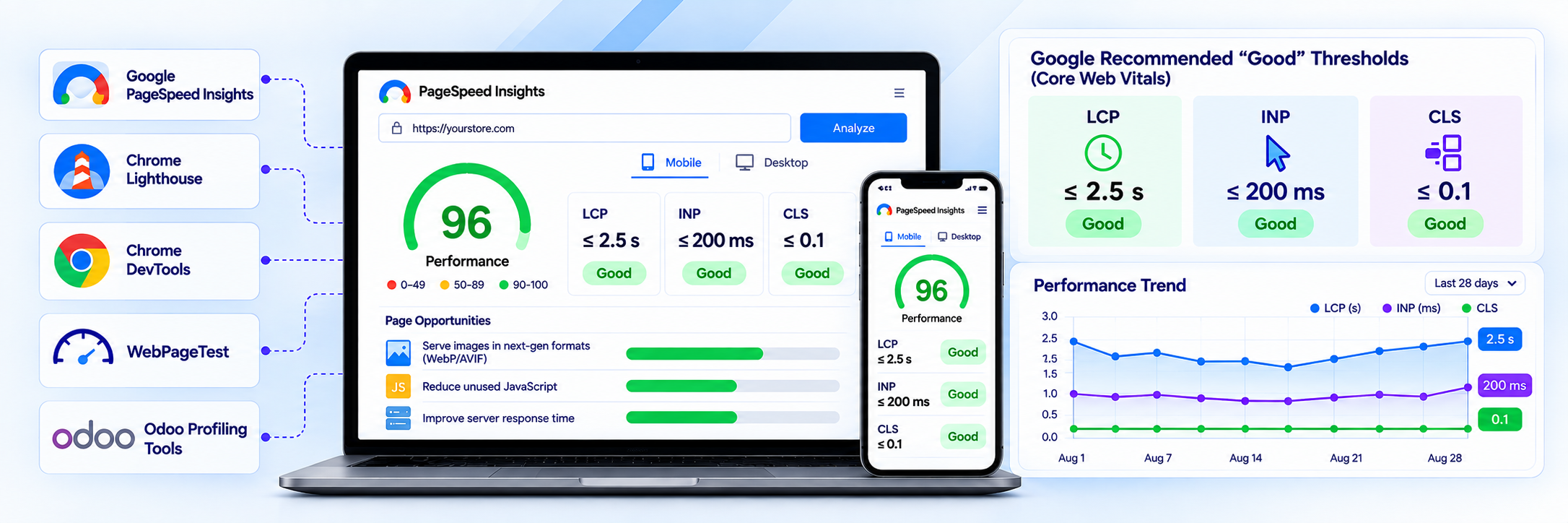
When a page takes too long to load, visitors may leave before viewing a product or completing a purchase. Performance contributes to page experience and can be relevant to search visibility. As a general benchmark, Google considers LCP of 2.5 seconds or less, INP below 200 milliseconds, and CLS below 0.1 to be good performance targets.
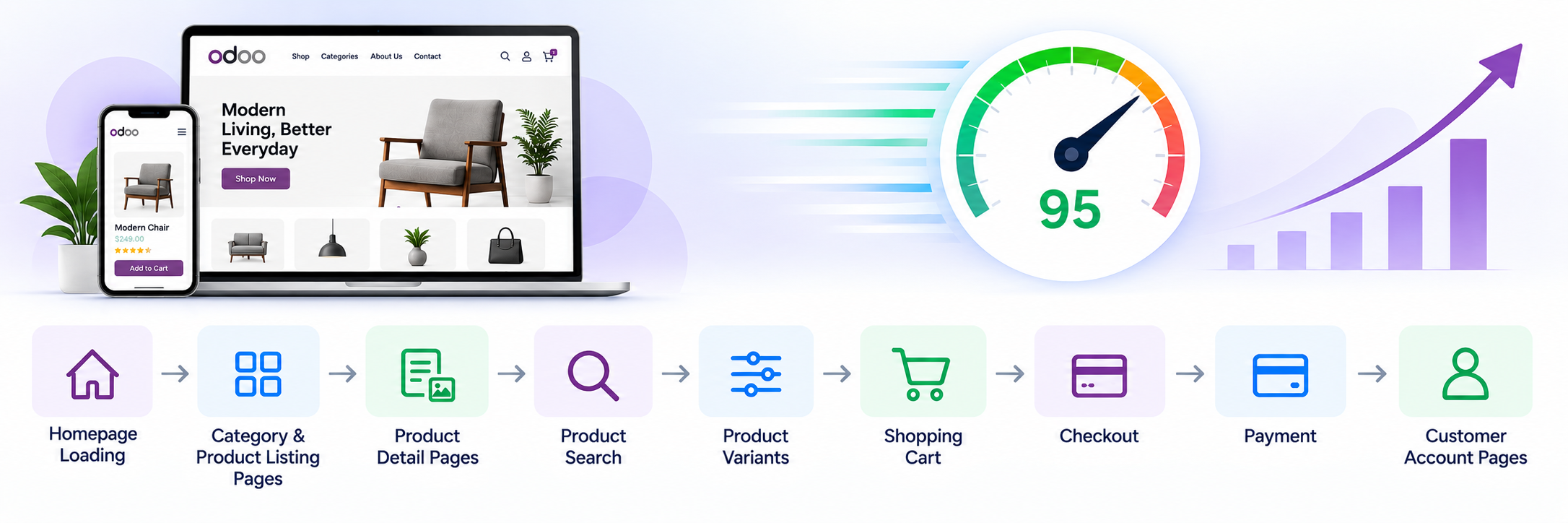
For an Odoo eCommerce store, performance should therefore be considered across the entire customer journey:
-
Homepage loading
-
Category and product listing pages
-
Product detail pages
-
Product search
-
Product variants
-
Shopping cart
-
Checkout
-
Payment
-
Customer account pages
Odoo’s website platform also provides built-in SEO and image optimization capabilities, but customization and third-party components still need to be reviewed carefully.
How to Optimize Odoo 19 Website Performance
1. Measure Odoo Website Performance
Odoo website speed optimization starts with identifying the pages, assets, scripts, and server-side operations that create the biggest performance bottlenecks.
Instead of immediately changing code or server settings, establish a performance baseline.
Useful tools include:
-
Google PageSpeed Insights
-
Chrome Lighthouse
-
Chrome DevTools
-
WebPageTest
-
Odoo’s built-in profiling capabilities for backend-related issues
Measure important pages separately. For example, the homepage may perform well while a product listing page or checkout page may have significant performance problems.
For Odoo 19 performance optimization, review Odoo Core Web Vitals alongside server response time, network requests, JavaScript execution, images, and user interactions.
Key metrics to monitor
Largest Contentful Paint (LCP)
Measures how quickly the main content becomes visible.
Interaction to Next Paint (INP)
Helps measure how responsive a page is when users interact with it.
Cumulative Layout Shift (CLS)
Measures unexpected movement of page elements during loading.
| Metric | What it tells you | Good target |
| LCP | Loading performance | ≤ 2.5s |
| INP | Interaction responsiveness | < 200ms |
| CLS | Visual stability | < 0.1 |
Google's current Core Web Vitals guidance uses these thresholds.
Do not optimize based only on a single PageSpeed score. Look at real loading behavior, network requests, JavaScript execution, images, server response time, and user interactions.
For backend problems, Odoo 19 includes profiling tools that can help identify slow functions and SQL queries. Keep in mind that profiling introduces some overhead. Use the profiler to identify bottlenecks and understand execution and query patterns, then measure actual application performance separately without profiling enabled.
2. Optimize Images for Faster Loading
Images are one of the most common causes of slow eCommerce pages.
Product pages often contain multiple high-resolution images, thumbnails, banners, promotional graphics, and recommendation sections. Loading unnecessarily large images can significantly increase page weight.
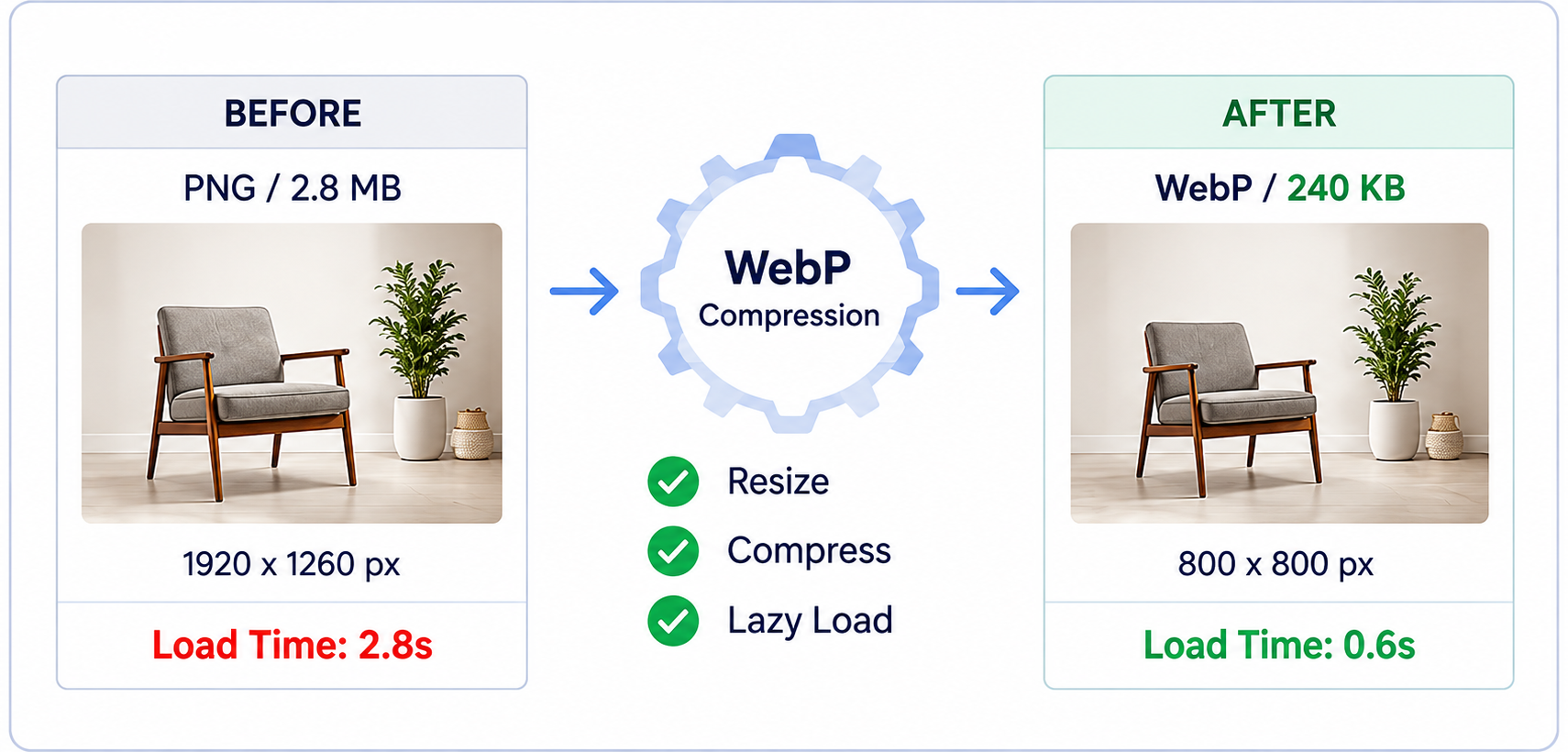
Odoo 19 provides automatic image compression and WebP conversion for uploaded images. Odoo also recommends keeping images appropriately sized and lightweight.
This behavior does have some limits worth knowing. Odoo automatically compresses uploaded images and converts them to WebP in supported website workflows. However, custom themes, module assets, imported media, and existing legacy media should still be reviewed separately. Do not assume that every image delivered by a custom implementation has gone through the same optimization process.
Odoo's developer documentation recommends keeping images lightweight and gives 200 KB as a practical guideline, while also recommending appropriate image dimensions.
Practical image optimization tips
-
Use modern image formats such as WebP where appropriate.
-
Upload images close to their actual display dimensions.
-
Avoid using very large source files when smaller dimensions are sufficient.
-
Compress promotional banners.
-
Avoid loading unnecessary images above the fold.
-
Use responsive image sizing.
-
Apply lazy loading where appropriate.
-
Review images added by custom themes and modules.
For example, if a product image is displayed at 600 × 600 pixels, there is little benefit in delivering a several-thousand-pixel image to the browser.
Image optimization should be applied consistently across the entire website—not only on the homepage.
3. Optimize Odoo Website Assets
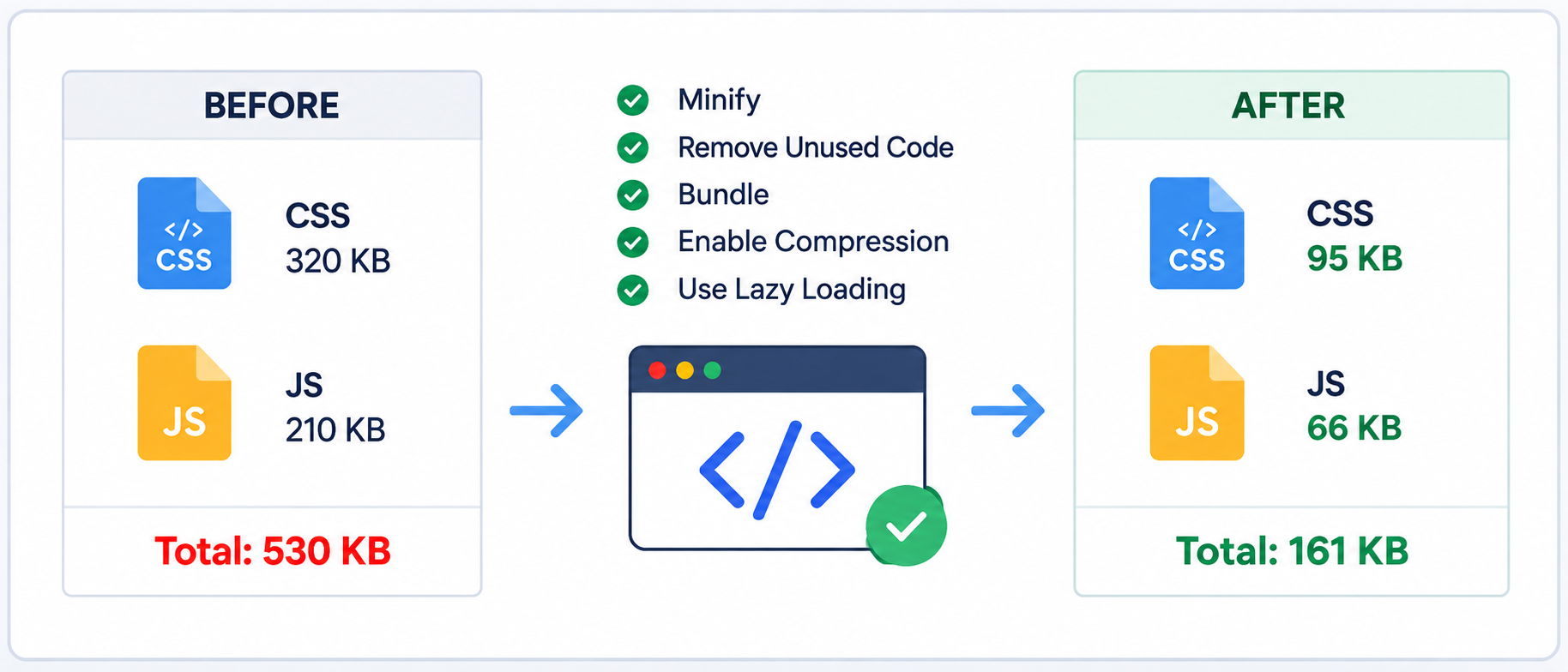
Odoo manages frontend assets through asset bundles. These can contain JavaScript, CSS/SCSS, and XML templates.
Odoo 19 documentation confirms that JavaScript is processed/minified outside debug=assets, and assets are organized into bundles. web.assets_frontend is specifically used for public website/eCommerce functionality.
This makes asset management an important part of Odoo website optimization.
Avoid unnecessary frontend dependencies
Custom themes sometimes introduce:
- Multiple JavaScript libraries
- Duplicate plugins
- Large UI frameworks
- Unused CSS
- Custom sliders
- Animation libraries
- Third-party widgets
Every additional dependency can increase page weight and browser processing.
Review custom modules and themes to ensure that they add only the assets they actually need to the appropriate Odoo asset bundles. Avoid placing page-specific JavaScript or large libraries in global frontend bundles when the functionality is used only on a small number of pages.
Load functionality only when needed
If a JavaScript library is required only on a particular page or for a specific interaction, consider loading it only when that functionality is used.
For example, a product zoom library does not necessarily need to be loaded on every page of the website.
Odoo's asset system supports loading assets on demand, which can be useful for large or infrequently used components. Use this approach selectively. Dynamically loading every script is not automatically faster and can introduce additional loading complexity.
4. Keep Custom JavaScript Lightweight
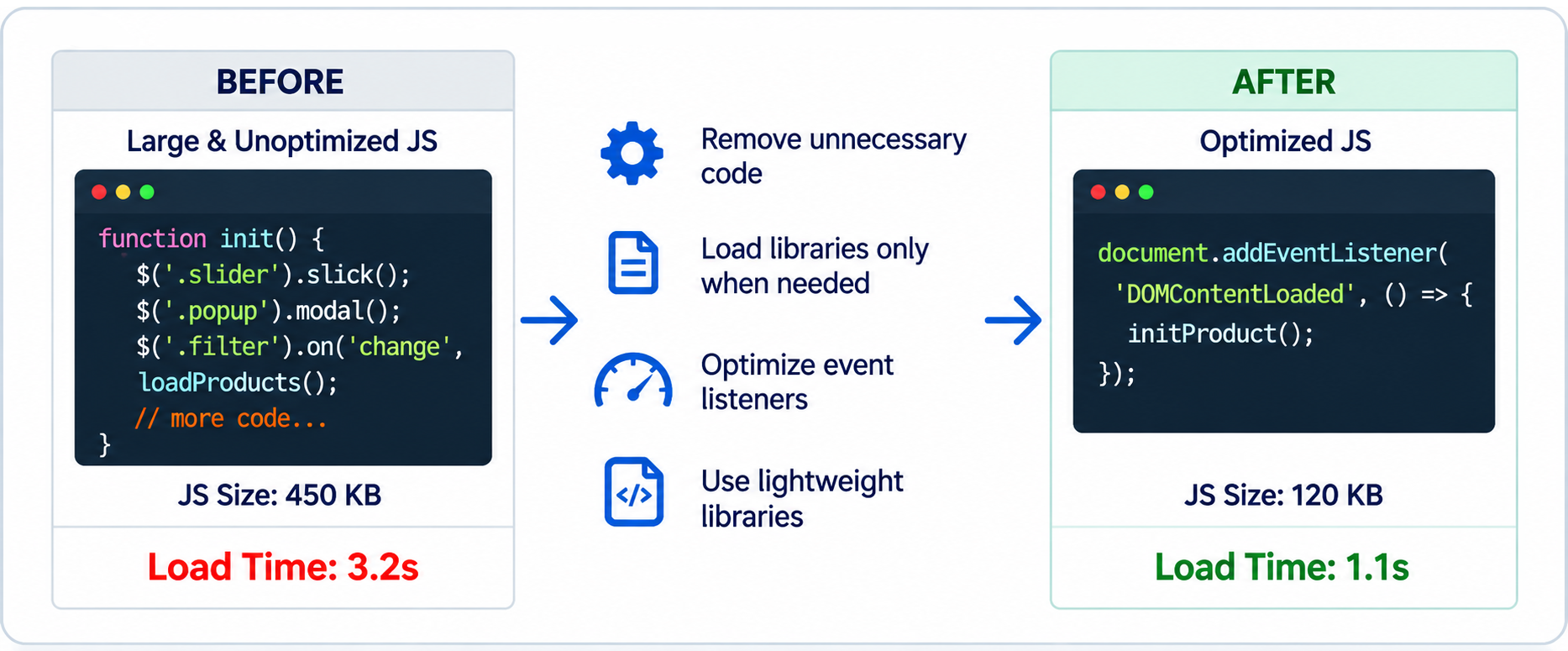
JavaScript can improve an eCommerce experience, but excessive client-side processing can make pages slower and less responsive.
Common examples include:
- Complex product variant logic
- Custom sliders
- Live filtering
- Product recommendation widgets
- Popup systems
- Tracking scripts
- Chat integrations
- Custom animations
Where standard Odoo functionality is not enough, custom Odoo plugin development can extend the platform while keeping performance requirements in focus. When adding custom functionality, consider whether every interaction requires JavaScript or can be handled more efficiently with existing Odoo features.
Good practices
- Avoid unnecessary DOM manipulation.
- Do not repeatedly execute expensive functions.
- Reduce unnecessary event listeners.
- Load large libraries only when required.
- Avoid duplicate functionality.
- Keep custom OWL components focused.
- Test JavaScript performance on mobile devices.
For OWL components, avoid unnecessary state changes and re-renders. Keep component state focused, avoid performing expensive computations or operations inside frequently executed lifecycle methods.
A feature that works smoothly on a high-end desktop computer may still feel slow on a mid-range mobile device.
5. Optimize QWeb Templates
QWeb is a core templating technology used by Odoo for rendering website content and other interfaces.
It is worth distinguishing this from OWL (Odoo Web Library), the JavaScript framework that powers interactive, client-side components on the website and backend. Performance problems can originate at different layers. QWeb rendering and ORM operations can affect server-side response time, while OWL components and JavaScript can affect browser-side execution and interaction responsiveness. Identifying the affected layer is therefore important before changing the implementation.
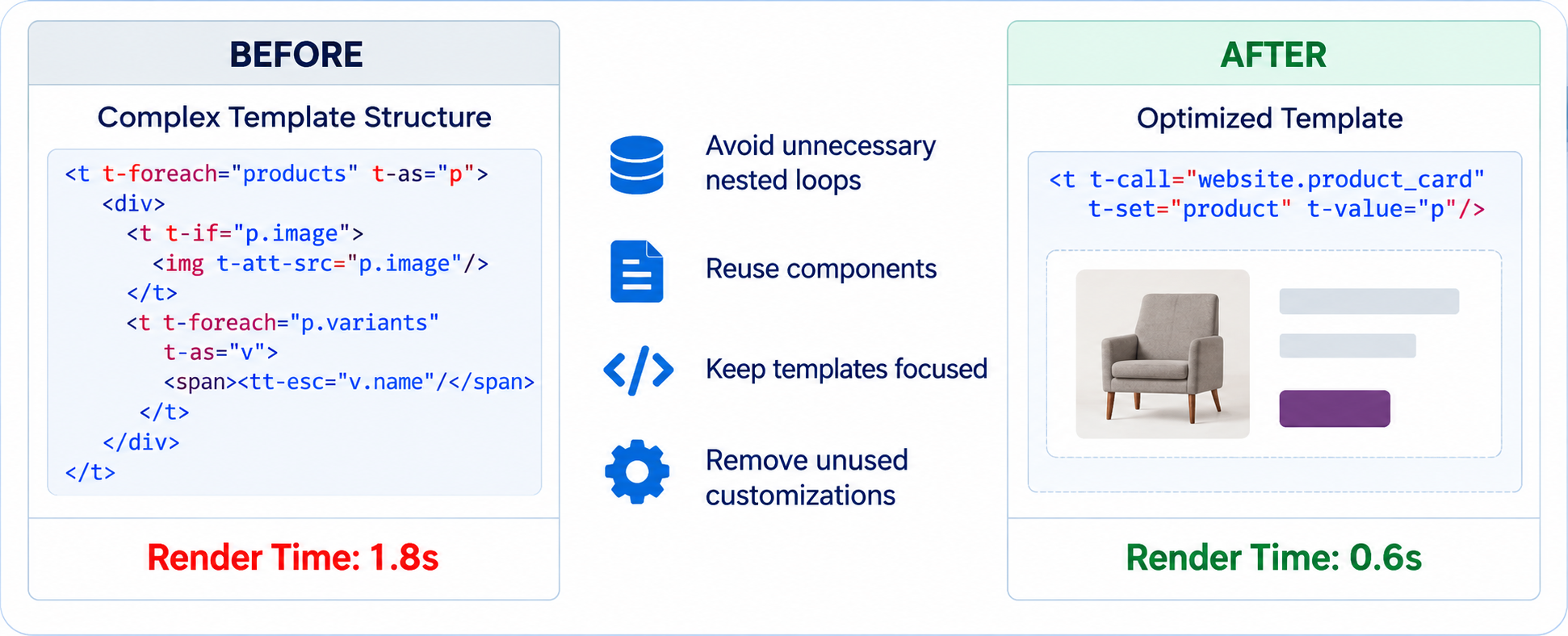
Poorly designed templates can increase rendering work and make maintenance more difficult.
When customizing an Odoo theme:
- Avoid unnecessary nesting.
- Reuse existing components where possible.
- Avoid repeatedly performing expensive operations during rendering.
- Keep templates focused.
- Avoid adding unnecessary dynamic content.
- Review inherited templates carefully.
- Remove obsolete customizations after migrations.
A common issue in long-running Odoo projects is accumulated customization. A theme may contain code that was created for an earlier requirement but is no longer needed.
Regularly reviewing QWeb customizations can improve both maintainability and performance.
6. Improve Product Page Performance
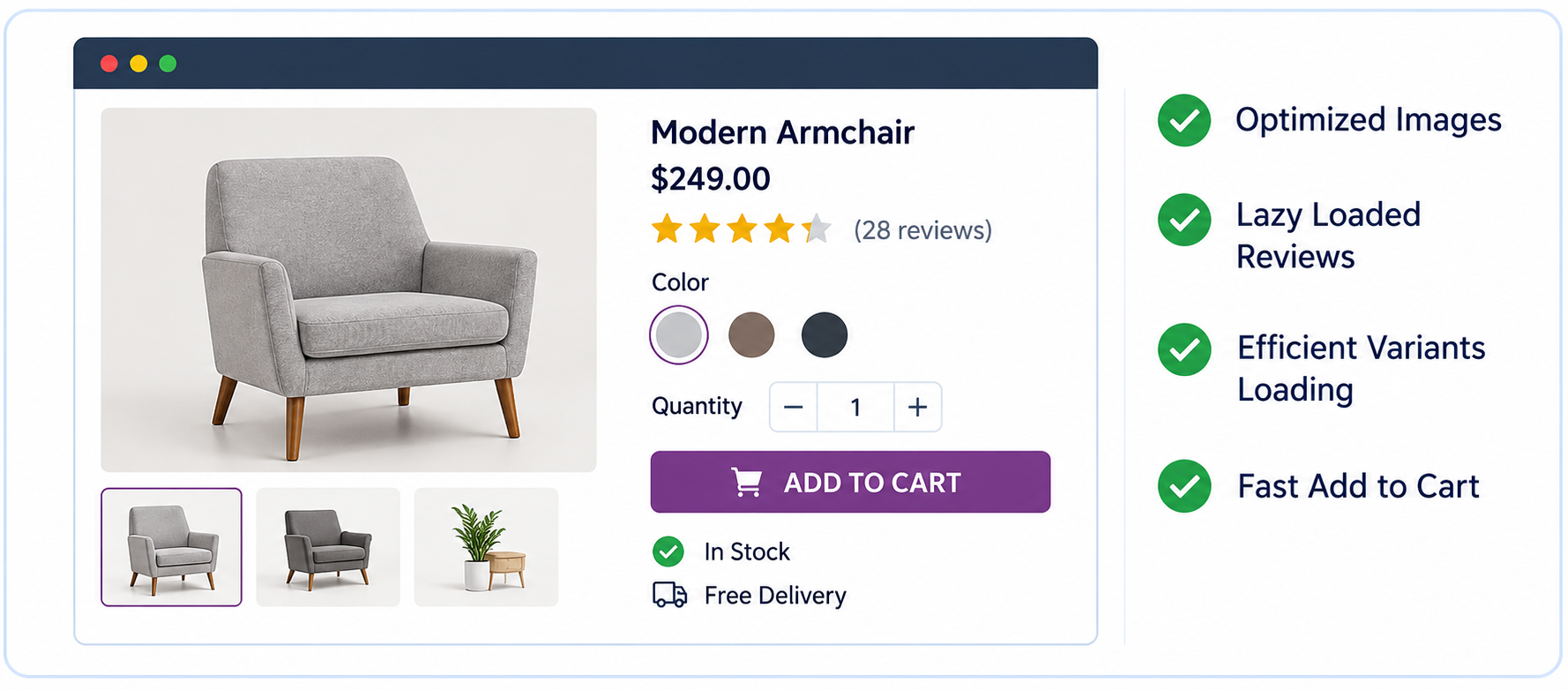
Product pages are among the most important pages in an eCommerce store. Odoo product page optimization should prioritize the content users need most while deferring secondary elements where appropriate.
A typical product page may include:
- Product images
- Product variants
- Product descriptions
- Pricing
- Stock information
- Product attributes
- Reviews
- Related products
- Cross-selling
- Recently viewed products
- Promotional components
Loading everything simultaneously can create unnecessary work.
Focus on the critical content first
The initial page should generally prioritize:
- Product name
- Main product image
- Price
- Availability
- Variant selection
- Add-to-cart functionality
Prioritize the content required for the initial user interaction, while avoiding unnecessary work for secondary components. Components that are expensive and not immediately needed can be deferred where this does not negatively affect usability or SEO.
This approach helps users interact with the product sooner rather than waiting for every component to become available.
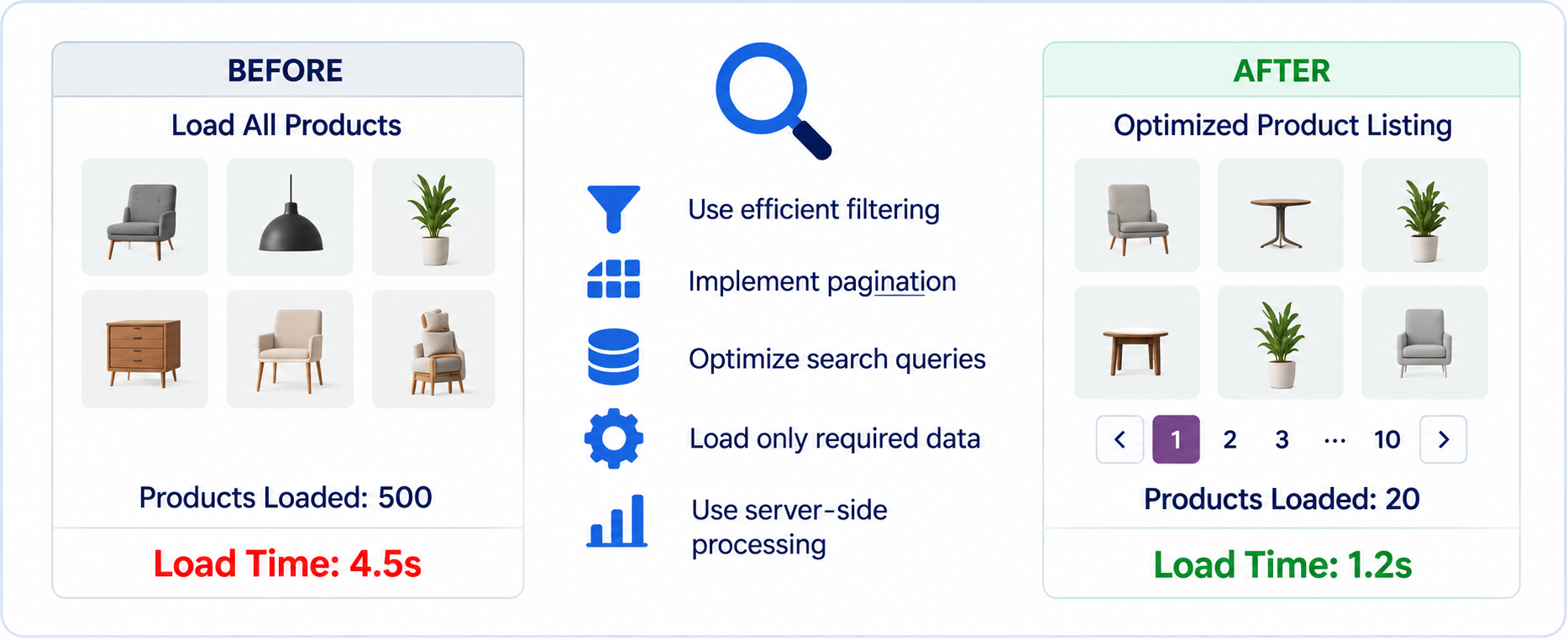
7. Optimize Product Listing and Search Pages
Effective Odoo eCommerce performance optimization combines efficient filtering, pagination, server-side processing, and careful database access.
Large catalogs can create performance challenges.
Product listing pages may need to handle:
- Hundreds or thousands of products
- Product images
- Attribute filters
- Price ranges
- Sorting
- Pagination
- Product variants
- Stock information
Avoid unnecessarily loading the entire catalog into the browser.
Instead, use efficient filtering, pagination, and server-side processing where appropriate. When developing custom product listing or search functionality, use Odoo recordsets and batch operations rather than repeatedly browsing or querying individual records. Avoid bypassing the ORM with raw SQL unless there is a clear reason to do so, and remember that raw SQL bypasses ORM features such as access rights, record rules, field conversions, and other ORM-level behavior.
For broader storefront requirements, e-commerce development services can complement Odoo eCommerce performance work.
Custom search functionality should also be reviewed carefully. If a custom module introduces expensive database queries for every search request, the performance impact can become significant as the catalog grows.
8. Reduce Third-Party Scripts
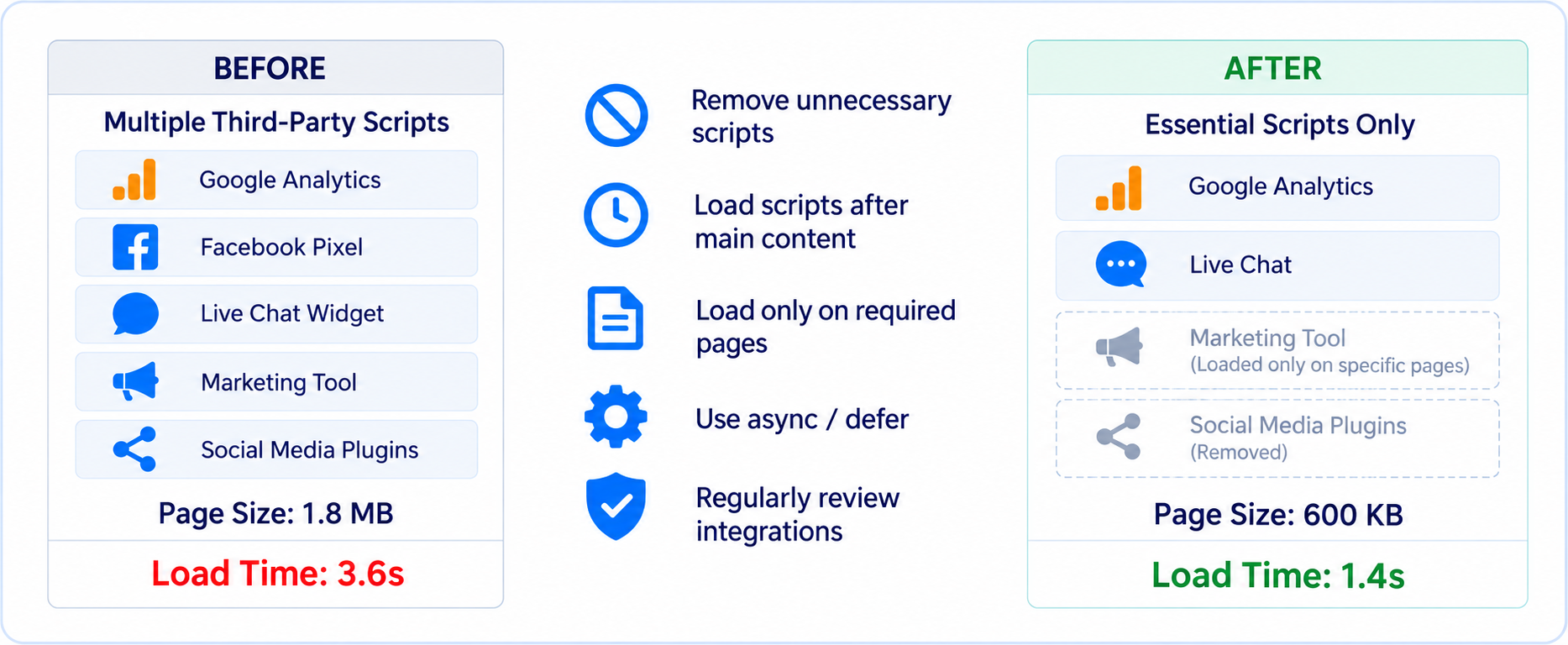
Third-party integrations can provide useful functionality, but every external script can affect loading performance.
Examples include:
- Google Analytics
- Advertising platforms
- Live chat
- Customer support widgets
- Social media plugins
- Marketing automation
- Heatmap tools
- Review platforms
Review every script installed on the website. Third-party scripts should also be reviewed from a consent and loading perspective. Where appropriate, analytics, advertising, chat, and other optional services should not be loaded before the required user consent is obtained.
Ask:
Is this script still required?
Does it need to load on every page?
Can it be loaded after the primary content?
Can it be loaded only on pages where it is required?
Reducing unnecessary third-party scripts can improve both loading performance and page responsiveness.
9. Use Caching and CDN Where Appropriate
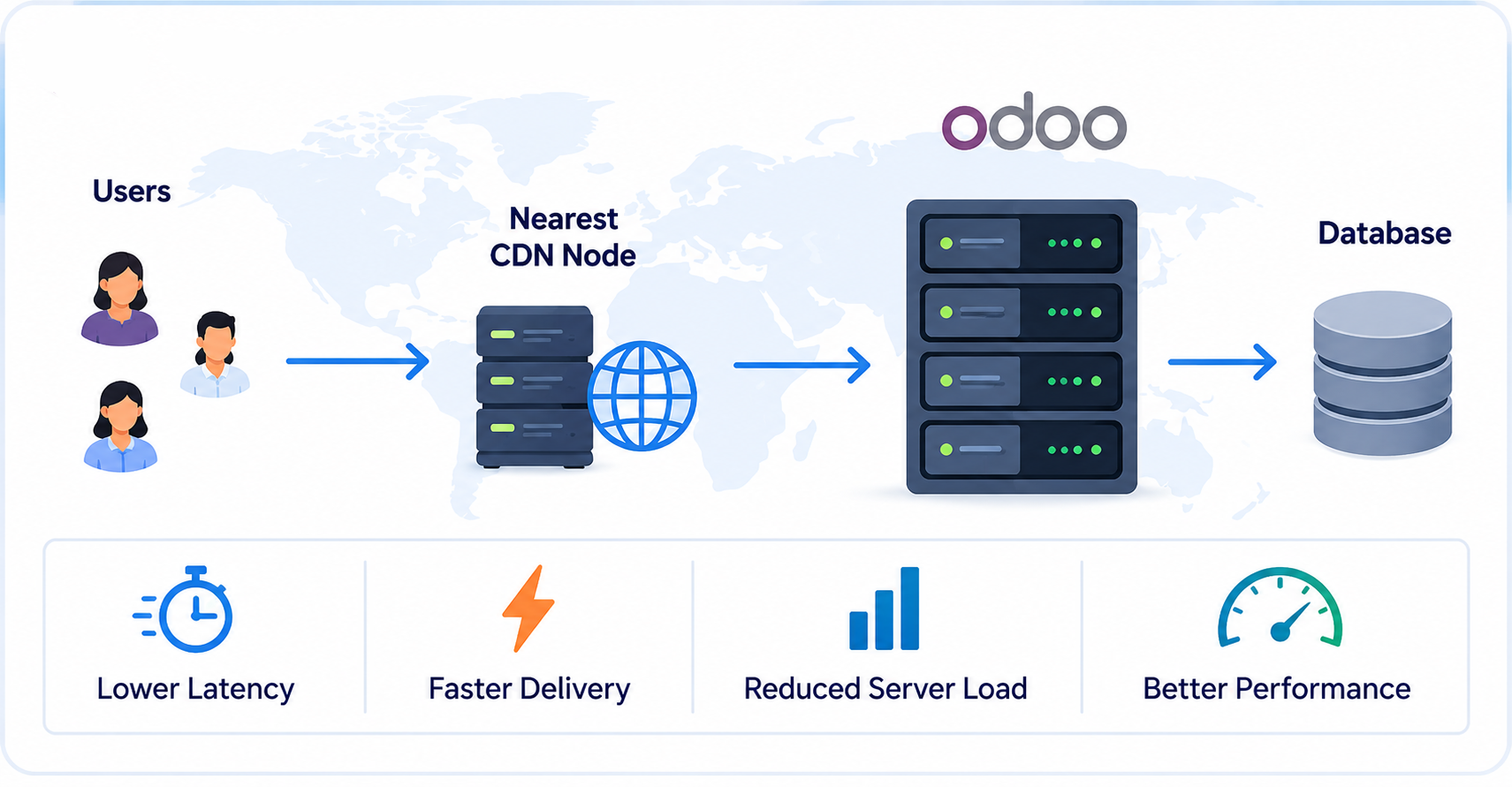
Caching allows frequently requested resources to be served more efficiently instead of being generated or transferred repeatedly.
Odoo 19 supports CDN configuration for website resources. A CDN can reduce latency when serving static assets such as images, CSS, JavaScript, and fonts, particularly for geographically distributed audiences.
However, CDN implementation should be planned carefully. Dynamic eCommerce responses require a different caching strategy. Cart contents, customer-specific prices, account pages, checkout information, and other personalized responses should not be treated as publicly cacheable content, since serving stale or shared versions of this content can lead to incorrect or exposed information.
The goal is to cache the right content without compromising data correctness or security.
Static assets are generally good candidates for CDN caching when appropriate cache headers, cache invalidation, and personalization requirements are correctly configured.
10. Optimize Backend and Database Operations
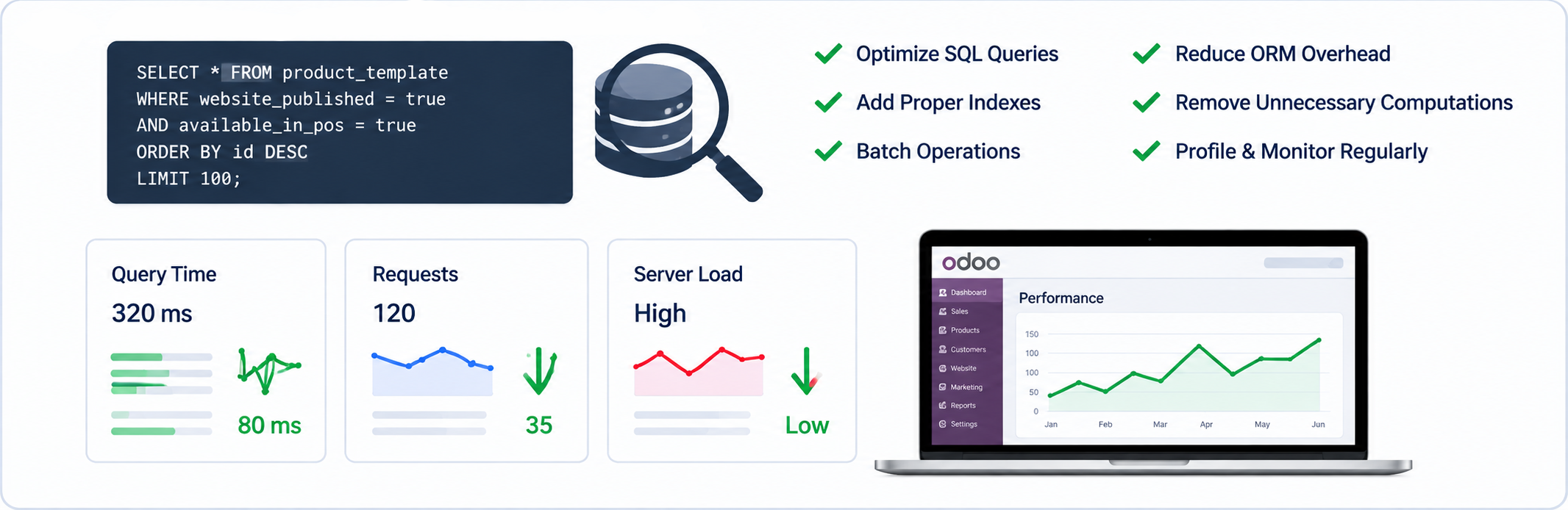
Odoo database optimization should be guided by actual query patterns, profiling data, and measured application behavior. Frontend improvements alone cannot address backend performance issues caused by inefficient database queries or operations.
An Odoo website may become slow because of:
- Inefficient ORM operations
- Excessive database queries
- Poorly designed custom modules
- Missing database indexes
- Large datasets
- Complex controller logic
- External API calls
- Repeated computations
- Excessive SQL query counts
- N+1 queries
Odoo recommends practices such as batching operations, reducing algorithmic complexity, and using database indexes appropriately. Its profiling tools can also help identify expensive operations and SQL queries.
Indexes should be added based on actual query patterns and database analysis. Adding indexes indiscriminately can increase storage and write/update costs without improving the problematic query.
For Odoo performance, query count is often as important as query execution time. Do not look only at the execution time of individual SQL queries. A request that performs hundreds or thousands of small queries can be slow even when each individual query is relatively inexpensive.
Avoid unnecessary queries
For example, custom code that performs a database query repeatedly inside a loop can become increasingly expensive as the number of records grows.
A common problem is an N+1 query pattern, where code performs an additional query for every record in a result set. This can turn a request that works well with 20 products into a serious bottleneck with thousands of products.
Instead, retrieve the required data efficiently and process it in batches whenever possible.
This becomes particularly important for eCommerce stores with large product catalogs, high order volumes, or complex pricing rules.
External services can also increase response time. Payment providers, shipping services, tax systems, search services, and other integrations may introduce network latency into customer-facing requests. Avoid unnecessary synchronous API calls during page requests and consider caching, asynchronous processing, or background jobs where the business flow allows it and the data does not need to be retrieved synchronously.
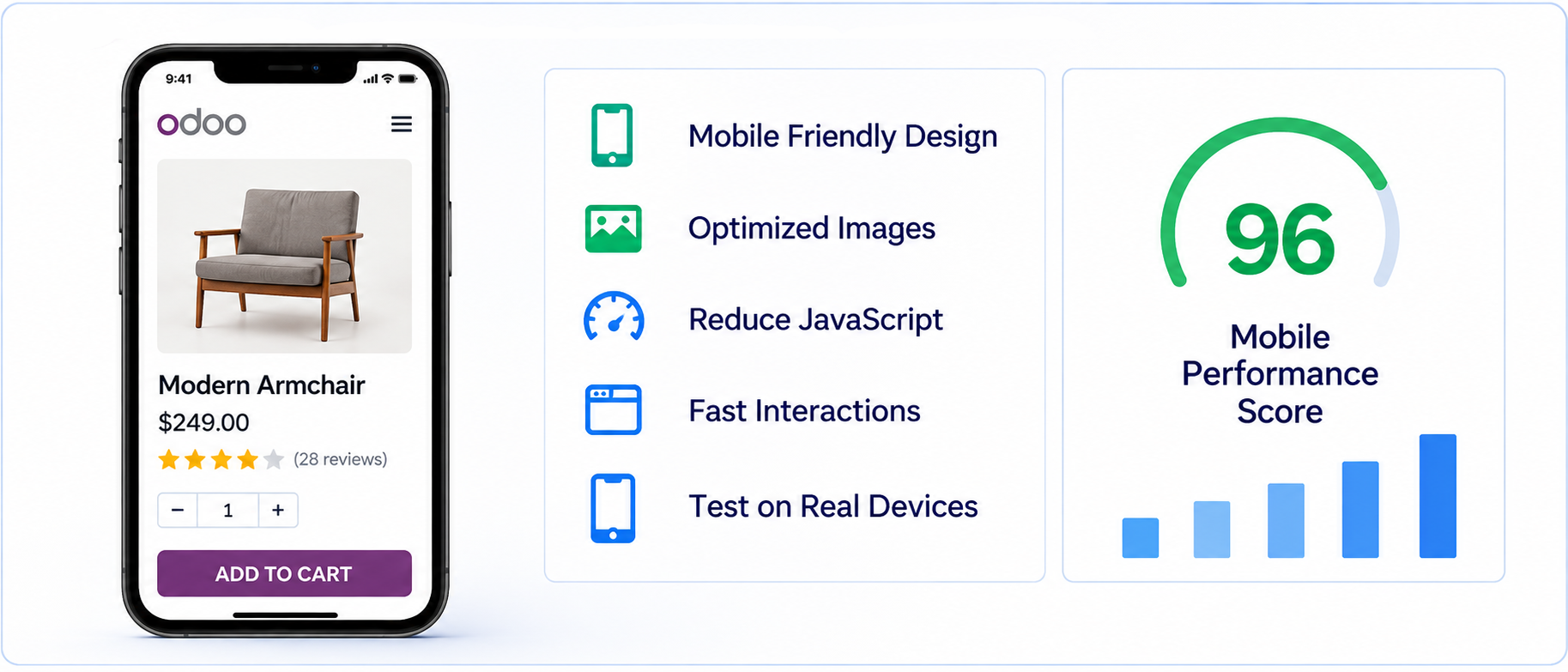
11. Improve Mobile Performance
Mobile devices are an important source of eCommerce traffic for many businesses.
Mobile users may also have:
- Slower network connections
- Less processing power
- Smaller screens
- Limited memory
- Higher latency
Therefore, desktop performance should not be treated as the only benchmark.
Test Odoo websites on real mobile devices and different network conditions.
Pay particular attention to:
- Hero images
- Navigation menus
- Product galleries
- Variant selectors
- Filters
- Popups
- Sticky elements
- Checkout forms
- JavaScript interactions
A responsive website should not simply “fit” on a mobile screen—it should also remain fast and easy to interact with.
12. Build Performance into Custom Odoo Themes
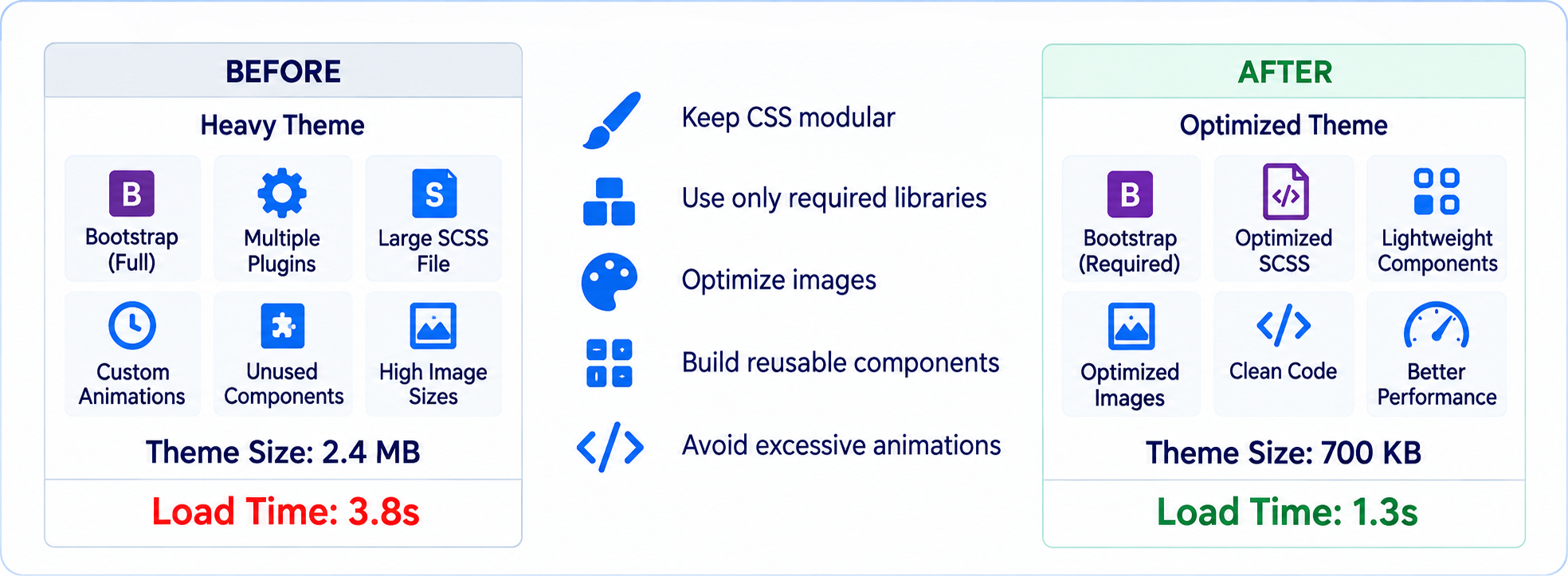
Odoo theme optimization should be considered throughout the development process rather than treated as a final-stage activity. Odoo’s frontend theme architecture provides asset bundles for website frontend functionality, allowing custom SCSS, JavaScript, and client-side QWeb templates to be integrated into the appropriate frontend assets.
When developing a custom Odoo 19 theme:
- Keep CSS modular.
- Avoid unnecessary frameworks.
- Reuse Odoo's existing frontend components and utilities where appropriate.
- Minimize custom JavaScript.
- Optimize images before deployment.
- Avoid excessive animations.
- Build reusable components.
- Test performance after every major customization.
A lightweight theme is generally easier to maintain and optimize than one containing multiple overlapping libraries and custom workarounds.
Businesses that have inherited a heavier theme from a previous implementation do not necessarily need to rebuild from scratch. A targeted Odoo theme and customization review can identify which parts of the existing theme can be retained and which are adding unnecessary weight.
PIT Solutions can support this process through structured Odoo implementation and customization, Odoo development and integration services, and dedicated Odoo development teams for broader Odoo delivery needs.
13. Monitor Performance After Deployment
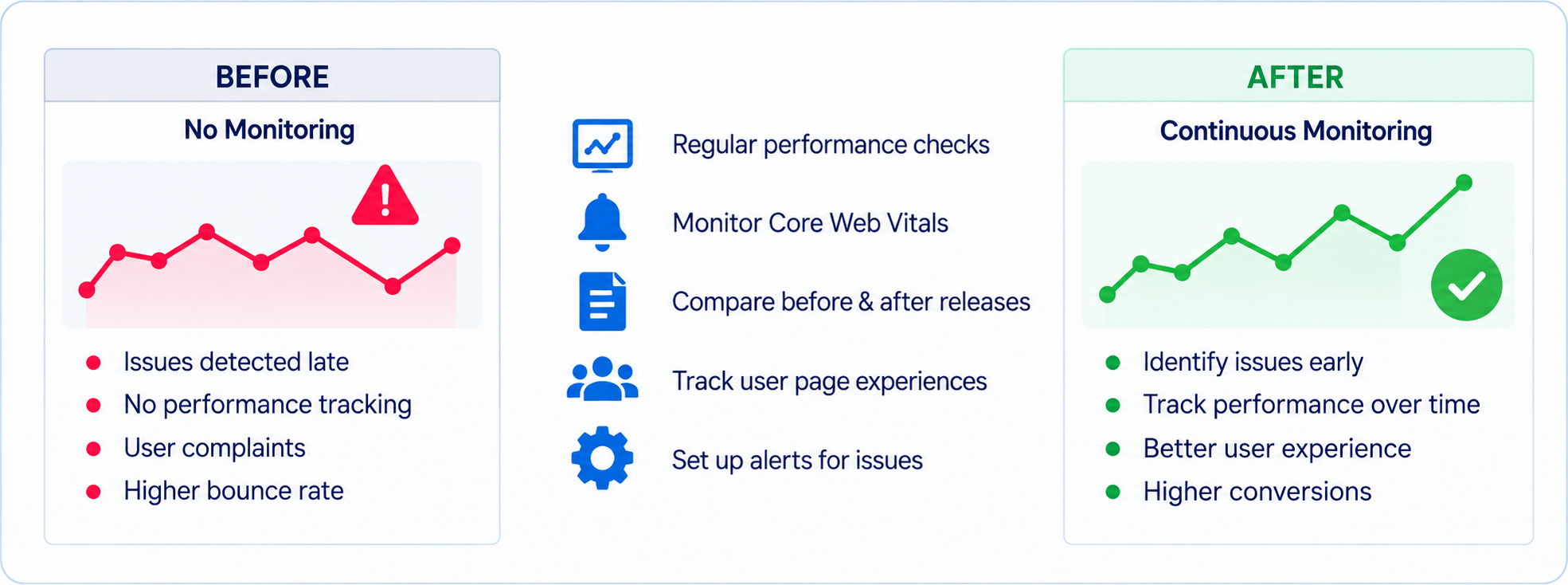
Performance optimization should not end when the website goes live.
New features can introduce new performance problems.
For example, adding:
- A product recommendation engine
- A marketing popup
- A review widget
- A new payment integration
- A custom search feature
- A tracking script
may change the loading behavior of the website.
Establish a regular performance review process and include performance checks in release validation. Create baseline measurements for important pages and compare them after major theme, module, integration, or infrastructure changes.
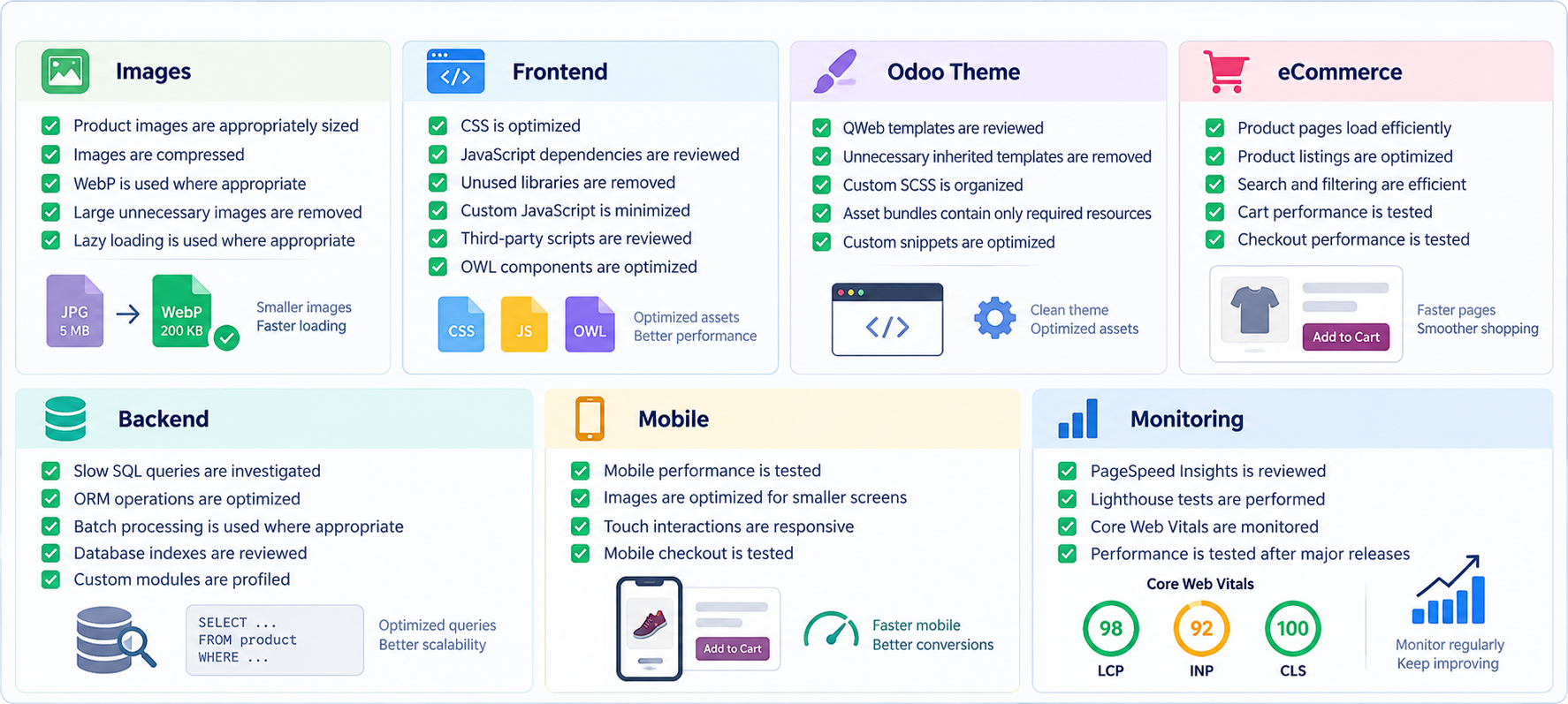
Odoo 19 Website Performance Checklist
Before launching or optimizing an Odoo 19 eCommerce website, review the following:
Images
- Product images are appropriately sized
- Images are compressed
- WebP is used where appropriate
- Lazy loading is used where appropriate
Frontend
- CSS and JavaScript dependencies are reviewed
- Unused libraries are removed
- Custom JavaScript is minimized
- Page-specific libraries are not loaded globally
- Asset bundles contain only required resources
- OWL components are optimized
- Duplicate JavaScript libraries are removed
- debug=assets is not used for production performance testing
Odoo Theme
- QWeb templates are reviewed
- Unnecessary inherited templates are removed
- Custom SCSS is organized
- Custom snippets are optimized
- Existing Odoo components are reused where appropriate
eCommerce
- Product pages load efficiently
- Product listings are optimized
- Search and filtering are efficient
- Cart performance is tested
- Checkout performance is tested
Backend
- Slow SQL queries are investigated
- SQL query counts are reviewed
- N+1 query patterns are avoided
- ORM operations are optimized
- Batch processing is used where appropriate
- Expensive computed fields are reviewed
- Database indexes are reviewed based on actual query patterns
- External API calls are identified and measured
- Custom modules are profiled
Infrastructure
- Odoo worker configuration is appropriate for expected traffic
- Long-running requests are identified
- Database resource usage is monitored
- CDN configuration is reviewed where appropriate
Mobile
- Real-device performance is tested
- Mobile checkout is tested
- Touch interactions are responsive
Monitoring
- PageSpeed Insights is reviewed
- Lighthouse tests are performed
- Core Web Vitals are monitored
- Performance is tested after major releases
- Performance is measured under representative mobile and desktop conditions
Conclusion
A fast Odoo 19 eCommerce website requires more than simply enabling caching or compressing a few images. Performance is a full-stack concern that can be affected by frontend assets, images, QWeb rendering, JavaScript, custom modules, ORM operations, database queries, third-party integrations, and infrastructure.
These practices form the foundation of Odoo 19 Website Performance Optimization and help maintain a reliable, scalable eCommerce store as it grows.
The most effective approach is to measure performance first, identify the actual bottleneck, make targeted changes, and measure the results again. This helps avoid spending time optimizing areas that are not responsible for the customer experience.
Ready to improve your Odoo 19 website or eCommerce store? PIT Solutions can help identify performance bottlenecks, optimize your Odoo website, and build a faster, more scalable eCommerce experience. Explore our Odoo implementation and customization services or contact PIT Solutions to discuss your project.