


Snowbabel provides an easy and modern way for Extension translation. Snowflake productions GmbH was the pioneers of this extension and handed over this to PIT Solutions Pvt Ltd in 2016 and the whole project was sponsored by BIBUS AG. This extension provides modules to add custom translations for extension language labels and to manage settings.
Installation and Overview
- Simple one-click installation that seamlessly integrates with TYPO3
- It provides an easy and modern way for Extension translation.
- With this extension we can add translation for extension labels from typo3 backend without editing code. So this extension will be very useful for Content Managers and non-technical backend users.
Extension Key: snowbabel
Extension URL: extensions.typo3.org/extension/snowbabel/
Documentation: extensions.typo3.org/extension/snowbabel/
Support: github.com/PIT-Solutions-Private-Limited/snowbabel/
Version: 6.2.0
Category: Backend Modules
Dependencies: TYPO3 (8.7.0 – 9.5.99)
PHP (7.0.0 – 7.3.9)
static_info_tables (6.1.0 – 6.7.99)
Usage
1. Get the extension
Step 1: Switch to the module “Extension Manager”.
Step 2: Get the extension-
Get it from the Extension Manager: Press the “Get Extensions” button and search for the extension key ‘snowbabel’ and import the extension from the repository.
Get it from typo3.org: You can always get current version from extensions.typo3.org/extension/snowbabel/ by downloading either the T3X or ZIP version. Upload the file afterwards in the Extension Manager.
Step 3: Install the extension
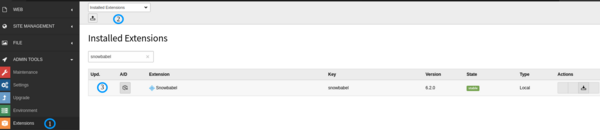
2. Extension Configuration
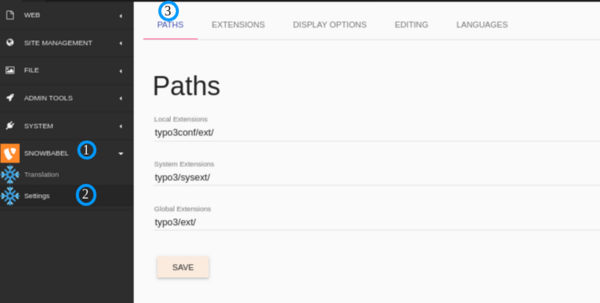
Step 1: Go to PATHS tab ang configure path settings
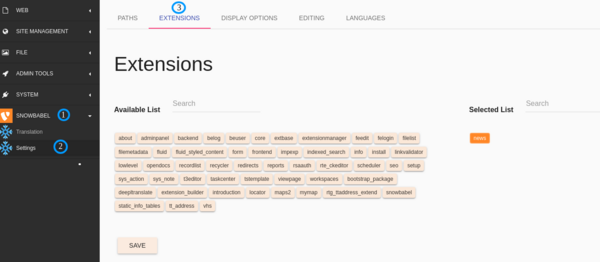
Step 2: Go to ‘Extensions’ tab and add extensions to be translated
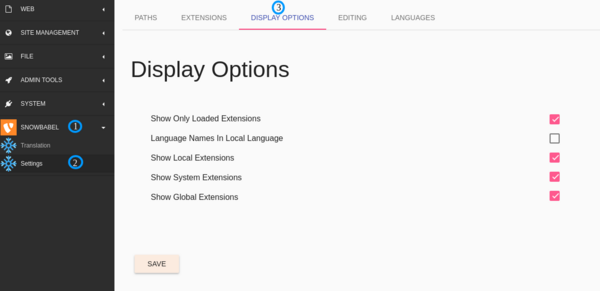
Step 3: Go to ‘DISPLAY OPTIONS’ tab and configure display options
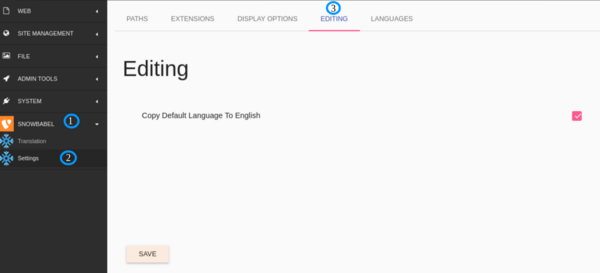
Step 4: Go to ‘EDITING’ tab and configure default extension settings.
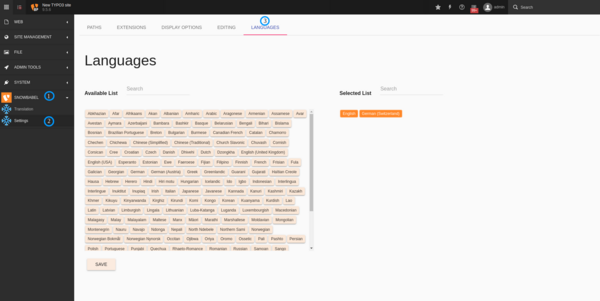
Step 5: Go to ‘Languages’ tab and configure default extension language settings
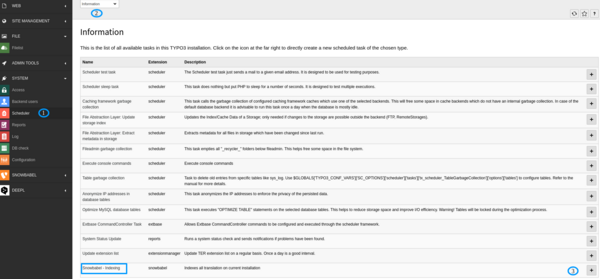
Step 6: Run indexing task
Go to ‘Scheduler’ module
If scheduler task is not listed in the list, add scheduler task .

Execute the scheduler task
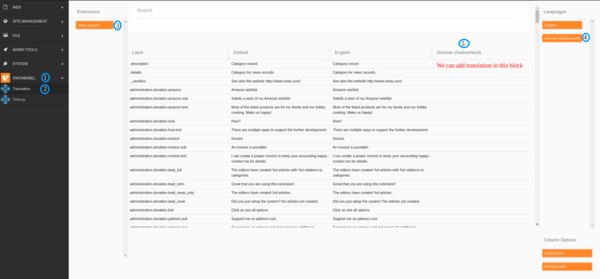
Step 7: Translate extension content
Click on translate , then select extension , language and there you can find option to add translation.
Support
You could report any issues/problems at Github – github.com/snowflakech/snowbabel/issues